First, you need to know your user ID.
Depending on your age and when you created your account, your user ID may be:
- a username
- your email
- your mobile number
If you aren’t sure what type of user ID you have, the chart below may help.
Username | Email | Mobile number |
Your user ID is a username if: - You are below legal age,
OR - You created your account before August 2021 (any age).
| Your user ID is your email if: - You created your Dexcom account after August 2021.
AND - You are above legal age.
AND - You verified your Dexcom account with a code sent via email.
| Your user ID is your mobile number if: - You created your Dexcom account after August 2021.
AND - You are above legal age.
AND - You verified your account via a text message to your mobile number.
|
Once you have your user ID, you can reset your password: | |
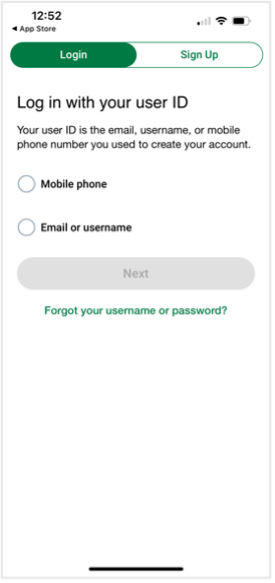
| - Go to the log in screen.
- Select Forgot your username or password?
|
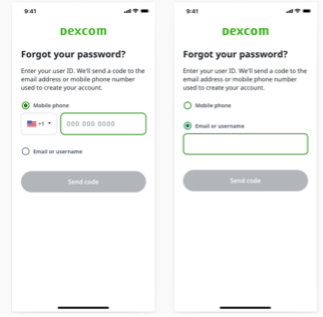
| - Select your user ID type:
a. Mobile number OR
b. Email or username - Enter your user ID.
- Select Send code. We’ll send a code to your phone or email, based on your user ID type. This safety measure helps protect your personal information.
|
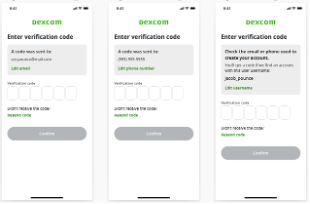
| - Enter the verification code and select Confirm.
- Follow the onscreen instructions to reset your password.
Note: If you’re below legal age, the code will go to the email or mobile number of the adult who created the account. |