
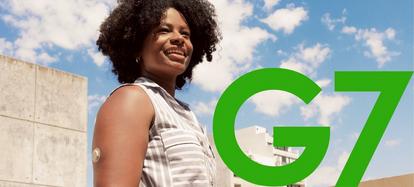
Upgrade to Dexcom G7
During the next year, we'll be saying goodbye to Dexcom G6 to focus on providing you with the latest technology, Dexcom G7.
Our goal is to ensure your transition to Dexcom G7 is as smooth as possible.
It’s easy to upgrade

I'm on a Dexcom G6 prescription
If you haven’t discussed upgrading to Dexcom G7 with your doctor, initiate the conversation during your next appointment to get a new prescription.
We are working diligently to ensure Dexcom G7 reimbursement is equitable to Dexcom G6 before discontinuing.

I am on a Dexcom G6 subscription or self-funded

Dexcom G7. Powerful features designed with you in mind*
With Dexcom G7, you can enjoy all the benefits of Dexcom G6, plus new features that make managing your diabetes even easier.*
Inspired by your feedback, Dexcom G7 is more discreet, accurate,1-3 and connected.†

Accurate3 and connected†
Improved accuracy* and seamlessly connects with the latest insulin pumps, pens, and health apps.†

Personalised for your needs
More flexibility* such as Delay 1st High alert and Silent Mode.

Easier to get started and use*,4
Enjoy a smaller sensor, easier application, and a faster 30-minute warmup. 96% of patients say that Dexcom G7 is easy to use!4

Does my insulin pump connect?
We understand the importance of seamless connectivity. We're working to ensure Dexcom G7 will be compatible with our pump and pen partners before discontinuing Dexcom G6. Specific connectivity timelines for each device will be communicated as soon as they're confirmed.

We are here to support you during this transition
Our transition guide contains helpful information such as a Dexcom G6 to Dexcom G7 comparison table, set-up information, and more to ensure you are prepared to make the upgrade.
If you have additional questions, please contact the tech support number below.

Customer support
General customer support Monday–Friday 8:00am–17:00pm.
Frequently asked questions
* Compared to Dexcom G6.
† To learn more about insulin pump integrations and compatibility, visit dexcom.com/compatibility.
For a list of compatible devices, visit dexcom.com/compatibility.
An internet connection is required for users to send their glucose data to Dexcom Clarity via a compatible smart device: dexcom.com/compatibility.
Separate Follow app and internet connection required.
† To learn more about insulin pump integrations and compatibility, visit dexcom.com/compatibility.
For a list of compatible devices, visit dexcom.com/compatibility.
An internet connection is required for users to send their glucose data to Dexcom Clarity via a compatible smart device: dexcom.com/compatibility.
Separate Follow app and internet connection required.
1 Garg SK, et.al. Accuracy and Safety of Dexcom G7 Continuous Glucose Monitoring in Adults with Diabetes. Diabetes Technol Ther. 2022.
2 Dexcom G7 User Guide.
3 Dexcom G7 user guide.
4. Dexcom, data on file, 2023.
2 Dexcom G7 User Guide.
3 Dexcom G7 user guide.
4. Dexcom, data on file, 2023.
BRIEF SAFETY STATEMENT: Failure to use the Dexcom Continuous Glucose Monitoring System and its components according to the instructions for use provided with your device and available at https://www.dexcom.com/safety-information and to properly consider all indications, contraindications, warnings, precautions, and cautions in those instructions for use may result in you missing a severe hypoglycemia (low blood glucose) or hyperglycemia (high blood glucose) occurrence and/or making a treatment decision that may result in injury. If your glucose alerts and readings from the Dexcom CGM do not match symptoms, use a blood glucose meter to make diabetes treatment decisions. Seek medical advice and attention when appropriate, including for any medical emergency.