How do I customize Dexcom G7 CGM alert settings?
Go to Profile > Alerts to customize each alert. The Low Alert screen below shows some settings you can change:
App: Level, Sound/Vibrate, and Snooze
Receiver: Level and Snooze
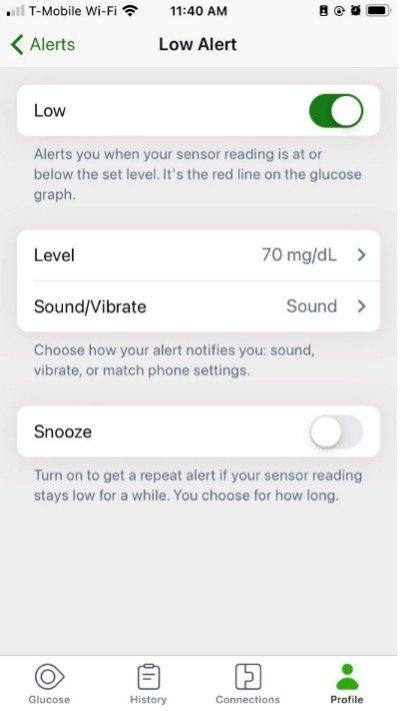
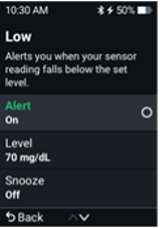
When adjusting the Level setting, think about what sensor reading makes you respond. Set your alert level at that number.
For example, if you don’t respond until your sensor reading is 65 mg/dL but your Low Alert is at 80 mg/dL, you’re getting alerts you don’t use. Set your Low Alert level to 65 mg/dL so you only get it when it matters to you.
This applies to both Dexcom G7 and Dexcom G7 15 Day CGM Systems.
Was this article helpful?


MAT-1042