
What Should I Do If My Sensor Reading and Capillary Blood Glucose Value Don’t Match?
CGM systems measure glucose levels in the interstitial fluid, whereas conventional blood glucose meters (BGMs) measure glucose levels in the blood. Because these measurements come from different sources, CGM glucose values may differ from blood glucose values. These differences can be expected and CGM readings are still reliable for treatment decisions.*
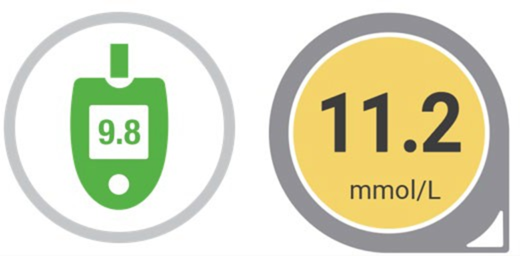
The %20/20 rule describes the acceptable deviation between fingerstick blood glucose readings and CGM interstitial glucose readings:
- For blood glucose readings ≥3.9 mmol/L (≥70 mg/dL), the sensor's glucose value may deviate up or down by 20% of this value.
- For blood glucose readings <3.9 mmol/L (<70 mg/dL), the sensor's glucose value may deviate up or down by 1.1 mmol/L (20 mg/dL) from it.
The average lag time for Dexcom CGM is approximately 4 minutes1.
If your sensor reading doesn’t match how you feel or is significantly different from your blood glucose meter, follow these steps:
Wash and Dry Your Hands
Always wash and dry your hands thoroughly before taking a fingerstick. Dirty or wet hands can lead to inaccurate meter results.
Check the Timing
If your glucose is changing rapidly (for example, after eating, taking insulin, or exercising), the sensor and meter readings may differ more than usual. This is because there is a natural delay between blood glucose and interstitial fluid glucose.
Compare Readings
If your symptoms do not match your sensor reading, use your blood glucose meter to confirm your glucose level. Always treat based on your symptoms and meter value if expectations do not match CGM readings .
Sensor Placement and Pressure
Make sure your sensor is placed according to the instructions. All Dexcom CGM are licensed for use in the back of the arm and the abdomen. Dependent on product and age the Dexcom device may also be placed in the upper buttocks†. Ensure that the sensor is not being compressed (for example, by lying on it). Pressure on the sensor can affect readings.
First Day Differences
It’s common for readings to be less accurate during the first 24 hours of a new sensor.
Calibration
You can consider a calibration when your Sensor and finger prick are reading significantly different, but your glucose is stable (horizontal arrow) See our more in-depth guidelines on Calibration.
Persistent Issues:
If your sensor readings are consistently inaccurate or do not match your symptoms for several hours, replace the sensor and contact Dexcom Technical Support.
Remember
- Always treat using your blood glucose meter if you are unsure or if your symptoms do not match your sensor reading.
- Never ignore symptoms of low or high blood glucose.
*Slight differences between these readings are normal. BGM is not the gold standard and CGM readings should be compared to glucose levels in a patient’s vein using the YSI glucose analyser. Calibration should be considered if sensor readings differ from finger prick values by more than 20–30% or if there are symptoms that do not match CGM readings. Finger pricks are required for diabetes treatment decisions if symptoms or expectations do not match readings.
†Dexcom G6 and Dexcom ONE are also licenced for use in the upper buttocks for ages 2-17. Dexcom G7 and Dexcom ONE+ are licensed in the upper buttocks for ages 2-6.
1 Welsh JB, et al. Comparisons of Fifth-, Sixth- and Seventh-Generation Continuous Glucose Monitoring Systems. J Diabetes Sci Technol. 2024;18(1):143-147.
MAT-12346