
Where can I see past events that I logged in the Dexcom G7 app?
You can see the events you’ve tracked on your display device.
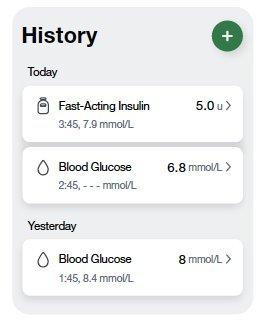
In the app, navigate to the History tab, and you’ll see a list of the events logged in the last 3 days.
Events you have logged in your G7 app will be available in your Dexcom Clarity reports when your data is updated from your Dexcom G7 device.
MAT-0567