

GETTING STARTED WITH YOUR PROGRAM CARD
Dexcom Sample & Savings Program
Don’t wait—take your prescription, insurance plan info, and your program card to your pharmacy to get your Dexcom G7 sensor.
We put together a few resources below to help you get started.

How to use your program card
- If you haven’t already, get a prescription for Dexcom G7. This will help enable any insurance coverage you may have.
- Take your prescription, insurance information, and program card to your pharmacy.
- Get your first sensor on us and save up to 20% off Dexcom G7 sensors off future purchases.*
Quick start resources

How-to videos
Check out our short videos on inserting your sensor and getting started with the app.

Getting started guide
We collected what our new users told us are the most helpful tools into one spot.

Talk to a Certified Diabetes Educator
That’s right, Dexcom has nurses on staff to help guide you as you start your first sensor.
Frequently asked questions
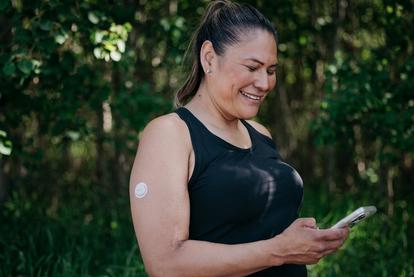
Continuous readings, continuous learning
The CGM Blog is updated regularly with topics to help you along your journey using our technology to manage your condition.
Need support? Our Patient Support Services team can help!
From diabetes education, to insurance support, to product troubleshooting—our team has your back.
* Eligibility and savings amount may vary. Based on reasonable upcharge, mark-up and customary pharmacy dispensing fee.
† Smart devices sold separately. For a list of compatible devices, please visit dexcom.com/compatibility.
† Smart devices sold separately. For a list of compatible devices, please visit dexcom.com/compatibility.