
What will I need when contacting Tech Support to report a sensor issue?
To report a sensor issue and request a replacement under the Dexcom Sensor Replacement Policy, , you will need the unique identifying number of your product, otherwise known as the Serial Number (or “SN”). Tech Support will use your SN to review sensor behavior and determine if there was a product failure.
In the event of a sensor failure prior to the completion of a sensor’s expected life, the user should contact Dexcom Tech Support as soon as possible. Dexcom Tech Support will review each case to determine the cause of the failure. If the failure is determined to be related to the sensor not meeting the published performance expectations, a replacement sensor will be issued without any limits.
Sensors determined to be non-defective, due to application error, removal for a procedure, or other non-product reason, may be eligible to receive a courtesy replacement.
SN location can vary by generation or is found in different sections of the mobile app or receiver. Please see below for guidance.
TIP: Snap a picture of the Serial Number on your sensor box, transmitter box, or applicator to ensure you can find it later should you ever need support.
Where to find your Serial Number or “SN” for Dexcom G7:
Serial Number description:
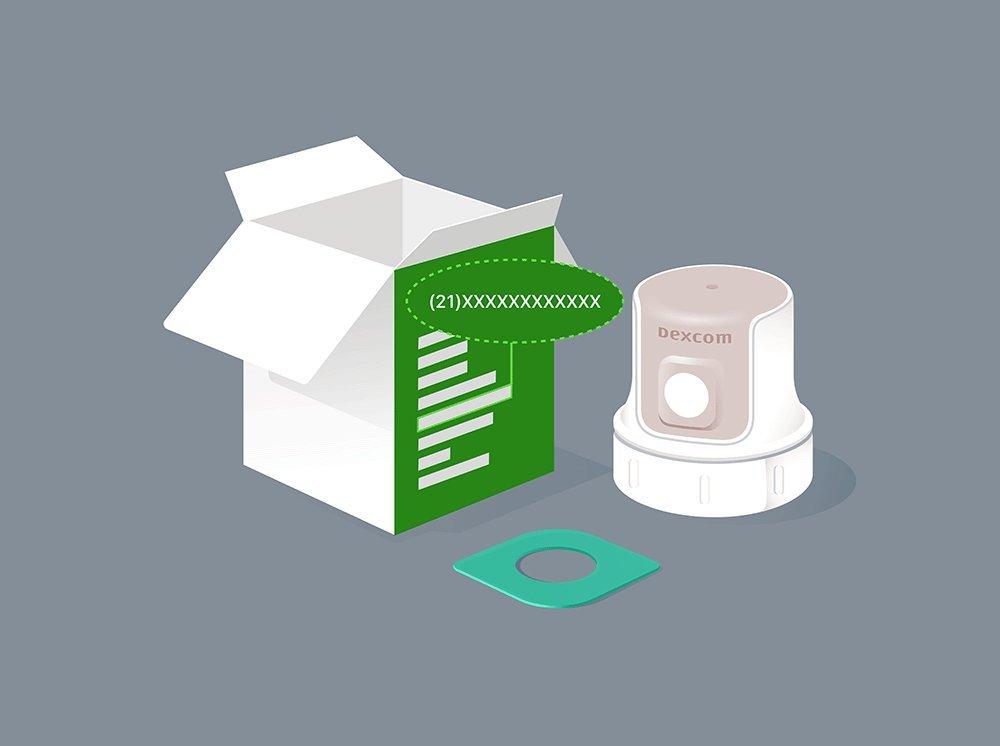
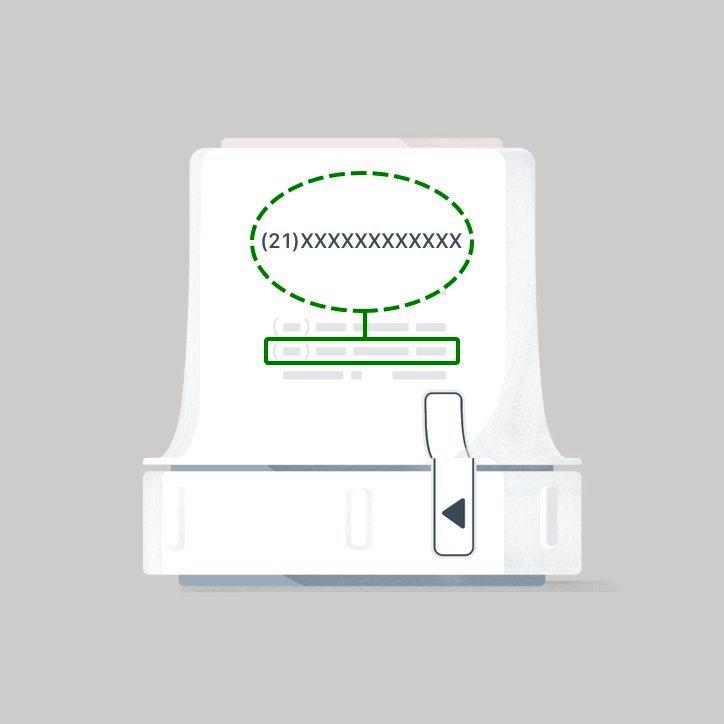
The serial number is the 12 numerical digits (they must be numbers) that begin after the number twenty-one (21) on your product.
Where to find on the sensor packaging:
Printed on the side of your sensor box, the serial number is the fourth number up from the bottom.
Where to find on the sensor applicator:
Printed on the back of the applicator, the serial number is the second number from the bottom.
Where to find within the CGM app:
In the event of a sensor failure prior to the completion of a sensor’s expected life, the user should contact Dexcom Tech Support as soon as possible. Dexcom Tech Support will review each case to determine the cause of the failure. If the failure is determined to be related to the sensor not meeting the published performance expectations, a replacement sensor will be issued without any limits.
Sensors determined to be non-defective, due to application error, removal for a procedure, or other non-product reason, may be eligible to receive a courtesy replacement.
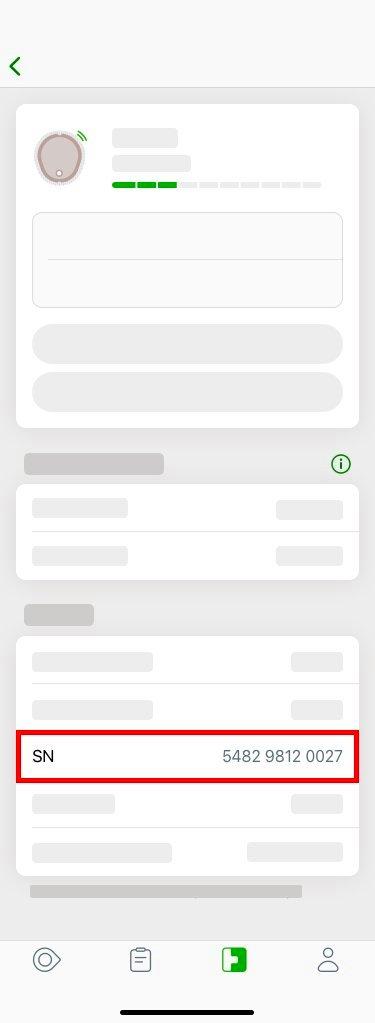
Where to find within the CGM receiver:
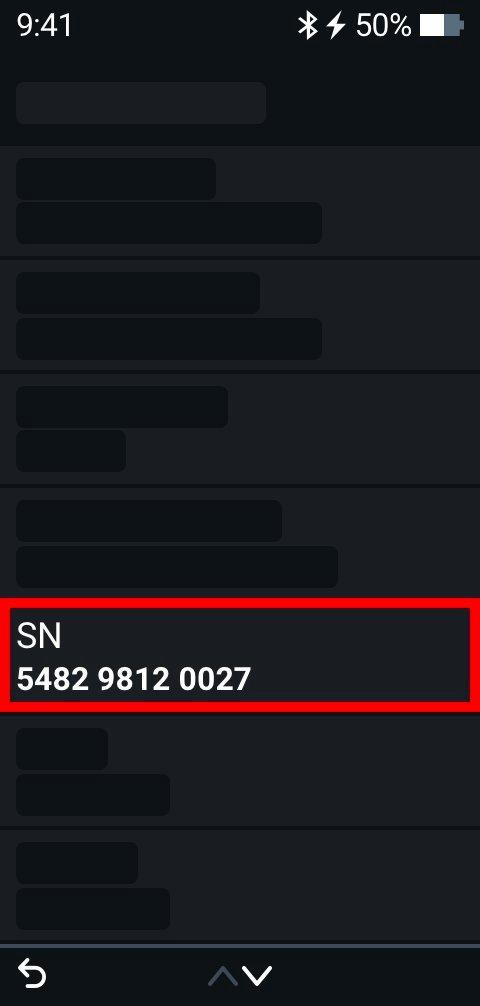
Found within the CGM receiver. Follow these steps to view the SN:
- From your home screen, Select Menu
- From the Menu screen, select Information
- Select Sensor
- Select Session Info
- The SN will be near the bottom of the screen
This applies to both Dexcom G7 and Dexcom G7 15 Day CGM Systems.
MAT-9220